When is a spreadsheet enough for lead follow-up?
A spreadsheet can be enough when one person owns the list, volume is low, the stages are simple, and every follow-up can be reviewed by hand.
It should still have a named owner, a clear status, the next action, a due date, the source, contact details, and the final outcome. A list of names without the next action is storage, not follow-up.
When does a small business need a CRM?
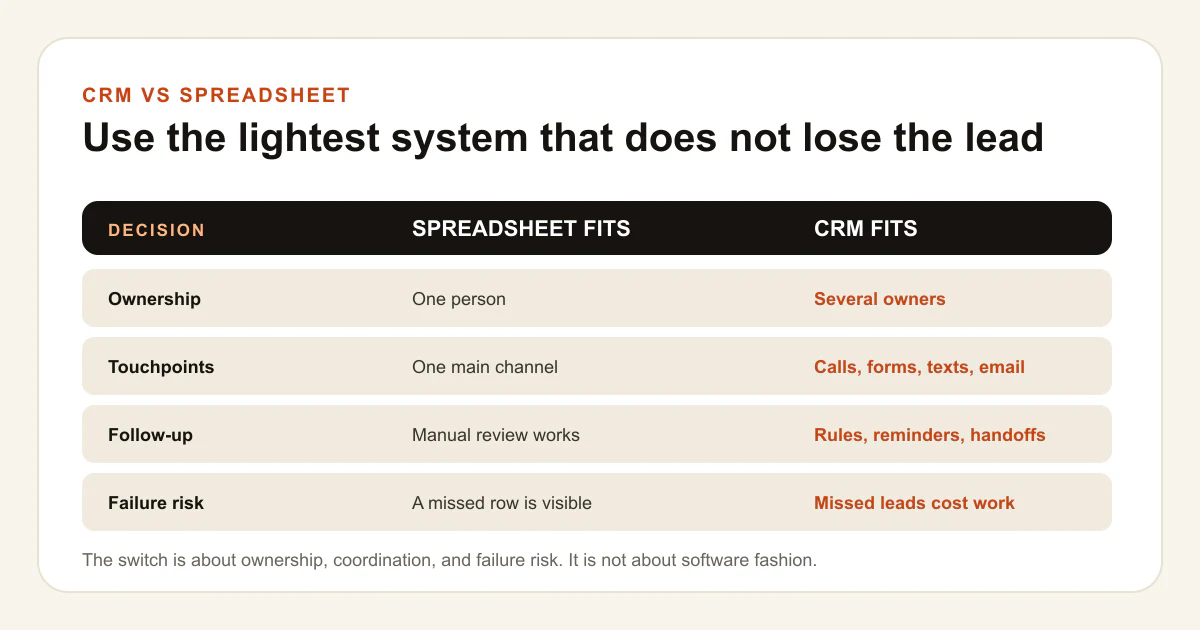
A CRM becomes useful when the lead path has more states than one person can reliably hold in a sheet. The switch is about failure risk and coordination, not software fashion.
- Leads arrive from forms, calls, texts, ads, chat, referrals, or several inboxes.
- More than one person can respond, qualify, schedule, sell, or deliver the work.
- Follow-up needs reminders, sequences, assignments, or service-level timing.
- The business needs a history of messages, stage changes, appointments, and outcomes.
- Managers need to see stale leads, missed handoffs, workload, and pipeline value.
- Marketing needs source, landing page, campaign, qualified-lead, and sale feedback.
A CRM does not fix an unclear process. It makes the process easier to run and inspect after the stages, owners, and next actions are defined.
How do a CRM and spreadsheet compare?
Choose the spreadsheet for a short, visible list. Choose the CRM when the business needs shared state, controlled follow-up, history, or automation.
| Decision | Spreadsheet fits | CRM fits |
|---|---|---|
| Ownership | One clear operator reviews every row | Several people or rules assign and hand off work |
| Touchpoints | One main channel and simple notes | Calls, texts, email, forms, appointments, and tasks need one history |
| Volume | The full list can be reviewed before leads go stale | Filters, queues, alerts, and stage rules are needed to find what matters |
| Automation | Manual reminders are enough | Routine acknowledgements, reminders, routing, and updates should run on time |
| Reporting | Simple counts answer the business question | Source, stage, qualification, appointment, sale, and revenue need separate records |
| Failure cost | A missed row is rare and quickly visible | A missed lead, duplicate reply, or failed handoff can cost real work or trust |
How do you switch from a spreadsheet to a CRM safely?
Clean the process before importing the data. Moving unclear statuses and duplicates into a CRM creates a larger unclear system.
- Define the lead, contact, source, stage, owner, next action, due date, and outcome fields.
- Remove duplicates and decide which old records are still actionable.
- Map every old column to a CRM field before import.
- Import a small sample and verify names, phones, emails, sources, owners, and dates.
- Connect one lead source at a time and trace a real record through the handoff.
- Keep the sheet as a dated rollback copy until the CRM result is reconciled.
Do not create fake production leads just to prove a workflow. Use a real authorized record, a sandbox, or existing execution evidence that can be traced without contacting a customer.
What should a small business automate first?
Automate the routine step that is already clear, frequent, and easy to verify. Keep judgment, sensitive details, objections, and unusual cases with a person.
Good first candidates include a new-inquiry acknowledgement, an owner alert, a follow-up reminder, a stale-lead queue, or a status update after a verified event. Each automation needs an owner, a stop control, failure visibility, and a way to compare the automation with the real CRM state.
Measure the lead path in layers. Source data shows where the inquiry came from. CRM stages show what the team did. Sales records show the business outcome. As Google's measurement guidance makes clear in the search context, systems with different jobs will not always produce identical counts.
See how BlackTiger maps CRM and AI automation, then review the starting price and scope boundary.
Common questions
Questions about CRM vs. Spreadsheet for Small Businesses
How many leads require a CRM?
There is no universal number. Switch when the current owner cannot review every lead before it goes stale, or when channels, handoffs, reminders, history, and reporting exceed the sheet.
Can a spreadsheet still be the right system?
Yes. A well-owned sheet can be the simplest reliable tool for a low-volume, one-person process. It still needs statuses, next actions, due dates, sources, and outcomes.
Should automation start as soon as the CRM is installed?
No. Define and verify the lead stages, owners, handoffs, and stop conditions first. Automating a broken process makes the failure faster and harder to see.
What data should move into the CRM?
Move the fields needed for contact, source, ownership, follow-up, qualification, appointment, sale, and reconciliation. Do not import stale or sensitive data without a business need and permission.
Sources and limits
Primary guidance and first-party boundaries.
- Google Search Console and Analytics guideA primary-source example of why systems with different measurement jobs produce different counts and should be reconciled, not flattened.
- BlackTiger CRM and AI automation serviceThe commercial owner for lead-path mapping, human handoff, monitoring, and automation scope.
- BlackTiger pricingThe public starting price and exact-scope boundary.
Use the lightest system that does not lose the lead.
Tell us how inquiries arrive, who follows up, and where the process slows down. We will show you whether the sheet still works or the handoff needs a CRM.